
23 Sep How to Renew DTI Trustmark: A Step-by-Step Guide for Philippine Businesses
How to Renew DTI Trustmark is an important question for Philippine business owners who already have an E-Commerce Philippine Trustmark and need to keep their certification active. The Trustmark is valid for one year from the date of issuance, and DTI requires renewal within a specific period before the expiration date.
For businesses selling through websites, social media, marketplaces, and other digital channels, keeping business information and Trustmark details current is part of maintaining compliance with the requirements of the Philippine e-commerce framework.
The renewal process is completed through the official Philippine Trustmark online portal. This guide explains when to renew, what requirements to prepare, how the application process works, what fees apply, and what to do after your renewed Trustmark is issued.
What Is the Philippine E-Commerce Trustmark?
The E-Commerce Philippine Trustmark is a government-endorsed digital certification seal for businesses engaged in online transactions and e-commerce in the Philippines. According to the Department of Trade and Industry, the Trustmark signifies compliance with recognized standards relating to data privacy, consumer protection, and e-commerce security.
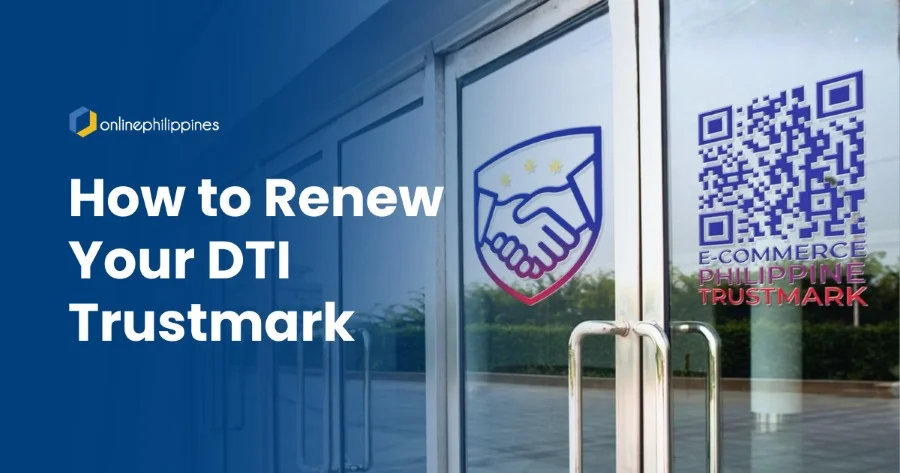
The Trustmark features an official DTI badge, a unique security number, and a QR code. When consumers scan the QR code, they are directed to the official DTI Trustmark website, where they can verify the Trustmark and view information about the registered business and its online platforms.
The Trustmark is relevant to different types of online businesses, including B2B and B2C businesses, online merchants, e-retailers, and digital platforms engaged in e-commerce.
For business owners, the Trustmark provides a government-issued indicator of compliance with applicable legal and regulatory standards. DTI also makes clear that the Trustmark does not serve as an endorsement of a specific business, product, or service.
Why Is DTI Trustmark Renewal Important?
The Trustmark is valid for one year from its date of issuance. DTI’s current guidelines state that a renewal application must be submitted no earlier than three months before the Trustmark expires and no later than 30 calendar days before the expiration date. Updated requirements must also be submitted when applicable.
This means business owners should not wait until the final days before expiration to begin the process. Reviewing your documents and business information ahead of time gives you time to address changes before submitting the application.
Maintaining an active Trustmark also helps ensure that the information associated with your business remains current in the DTI Online Business Database. Trustmark holders are automatically listed in the database, and the QR code attached to the Trustmark directs users to the corresponding business entry.
For businesses that rely on online transactions, keeping this information updated also gives customers a way to verify the business details associated with the Trustmark.
How to Renew DTI Trustmark
The DTI Trustmark renewal process can be summarized in these steps:
- Check your Trustmark expiration date.
- Confirm that you are within the official renewal period.
- Review your business and online selling information.
- Prepare updated requirements, if applicable.
- Log in to the official Philippine Trustmark portal.
- Complete and submit the renewal application.
- Wait for DTI E-Commerce Bureau evaluation.
- Review and settle the Statement of Account and applicable fees.
- Receive your renewed Trustmark and electronic certificate.
- Verify your Trustmark information and update the badge across your online channels.
The DTI guidelines state that applications are submitted electronically through the Trustmark registration portal and that the E-Commerce Bureau evaluates applications within seven working days.
Step-by-Step DTI Trustmark Renewal Process
Step 1. Check Your Trustmark Expiration Date
Start by checking the date your current Trustmark was issued and determine when it expires.
The Philippine Trustmark is valid for one year from the date of issuance. DTI requires renewal to be filed no earlier than three months before expiration and no later than 30 calendar days before expiration.
For example, if your Trustmark expires on December 31, your renewal application should be submitted during the permitted three-month renewal period and no later than 30 calendar days before the expiration date.
Business owners should consider adding the expiration date to their compliance calendar. This gives your team enough time to check documents, review business information, and complete the application.
Step 2. Review Your Business Information
Before submitting your renewal application, review the information connected to your Trustmark.
Check your registered business name, DTI, SEC, or CDA registration details, BIR registration information, authorized representative details, website addresses, and online selling platforms.
DTI’s Trustmark guidelines identify several requirements for Trustmark holders, including the applicable business registration document, BIR Certificate of Registration, list of digital platforms or websites used for online sales, valid government-issued identification, and a step-by-step guide for the business’s internal redress mechanism.
This review is particularly important if your business has changed since your original Trustmark application.
For example, your business might have launched a new website, added a marketplace account, stopped using a particular online platform, changed its registered information, or assigned a different authorized representative.
Step 3. Prepare Updated Requirements
DTI states that renewal is subject to the submission of updated requirements, if applicable.
The current Trustmark guidelines identify the following requirements for Trustmark holders:
- A duly accomplished online application form with a sworn undertaking to comply with applicable laws, rules, and regulations.
- DTI Business Name registration, SEC Certificate of Incorporation, or CDA Certificate of Registration, depending on the business structure.
- BIR Certificate of Registration, or Form 2303, reflecting the registered business or tradename and the applicable line of business or Philippine Standard Industrial Classification Code.
- A list of digital platforms or websites used for online sales.
- A valid government-issued ID of the applicant or authorized representative.
- A step-by-step guide explaining the business’s internal redress mechanism.
For renewal, review which information or documents have changed since the previous application and prepare the updated versions where required.
Your submitted information should be complete, accurate, and consistent with your current business records. The Trustmark portal terms state that registrants are responsible for the information submitted through the system.
Step 4. Log In to the Official Philippine Trustmark Portal
The Trustmark renewal process is completed electronically through the official Philippine Trustmark portal.
Use the account associated with your existing Trustmark and access the renewal process through the official DTI website.
Business owners should be careful when searching for assistance online. The official Trustmark portal is the appropriate source for submitting your application, checking requirements, making payments through the designated system, and accessing your Trustmark documents.
The official portal also provides the Trustmark’s verification and Online Business Database functions.
Step 5. Complete and Submit the Renewal Application
Complete the renewal application through the Trustmark portal and review the information carefully before submitting it.
Make sure your business details, online selling channels, registration information, and other required information accurately represent your current operations.
This step is important because the Trustmark system requires registrants to provide complete, true, and correct information. DTI’s terms also state that inaccurate or incomplete information may result in denial or cancellation of an application.
If your business now operates through additional websites or digital platforms, check whether those platforms need to be reflected in your application.
Once the application and supporting requirements have been submitted, DTI’s E-Commerce Bureau proceeds with the evaluation.
Step 6. Wait for DTI Evaluation
After submission, the DTI E-Commerce Bureau reviews and evaluates the application.
The current DTI Trustmark guidelines state that applications are evaluated within seven working days. The processing period applies to applications with the required information and documents submitted through the online system.
Business owners should monitor the email address associated with the Trustmark account for updates about the application.
The evaluation period should also be considered when planning your renewal. Starting the process early within the permitted renewal window gives your business more time to respond if additional information or updated documents are required.
Step 7. Review the Statement of Account and Pay the Applicable Fees
Once the renewal application is approved, DTI states that the applicant receives an electronic Statement of Account.
The current Trustmark guidelines list the following fees:
- Application or Renewal Fee: ₱1,000
- Web Administrative Fee: ₱100
- Documentary Stamp Tax: ₱30
This brings the listed total to ₱1,130 for the standard application or renewal fee structure. The DTI guideline separately lists a ₱500 reinstatement or lifting fee and a ₱500 amendment fee.
The DTI FAQ also provides fee information for initial registration based on enterprise size, including exemptions and discounts for qualifying micro and small enterprises. Those initial-registration provisions are separate from the standard renewal fee listed in the current guideline.
Business owners should follow the amount and payment instructions shown in the official Statement of Account and Trustmark portal.
Step 8. Receive Your Renewed Trustmark
After payment is confirmed, DTI electronically issues the Trustmark.
The Trustmark contains a unique security number and QR code. An electronic E-Commerce Philippine Trustmark Certificate is also issued.
The QR code connects to the DTI Online Business Database, where the Trustmark holder’s information is available for verification.
Once the renewed Trustmark is available, check the information associated with your business before placing the badge on your website or other online channels.
Step 9. Update Your Website and Online Selling Platforms
After receiving the renewed Trustmark, update the Trustmark displayed across your digital sales channels.
DTI requires the official Trustmark to be displayed prominently and clearly on the holder’s official website, digital storefront, seller profile, or product image areas. Businesses with physical stores may also display the Trustmark in a conspicuous location at their registered place of business.
Review all locations where your previous Trustmark appears.
This might include:
- Your company website.
- E-commerce storefronts.
- Marketplace seller profiles.
- Product pages.
- Social commerce profiles.
- Digital storefronts.
- Other registered online selling channels.
Use the official Trustmark provided through the DTI system. DTI states that the Trustmark must not be altered, transferred, or used for purposes other than those authorized by the agency. Unauthorized use, misrepresentation, or fraudulent display is subject to enforcement action.
What Happens If You Miss the DTI Trustmark Renewal Period?
The renewal deadline is important because DTI specifies a defined renewal window.
The application must be submitted no earlier than three months before expiration and no later than 30 calendar days before expiration.
DTI’s guidelines also identify failure to comply with reporting, updating, or renewal obligations as a ground for revocation of the Trustmark. Other grounds include submitting false or misleading information, unauthorized use of the Trustmark, violations of applicable consumer protection or e-commerce laws, repeated unresolved consumer complaints, and failure to cooperate with DTI monitoring or enforcement activities.
If a Trustmark has been revoked, the business must stop using or displaying the Trustmark. The guidelines state that a holder whose Trustmark has been revoked may apply for reinstatement after a minimum period of six months, subject to DTI evaluation and submission of proof of compliance and corrective actions.
This is why businesses should treat Trustmark renewal as part of their regular compliance schedule instead of waiting until the expiration date approaches.
What Should You Check Before Renewing Your Trustmark?
A renewal is also a good opportunity to review whether your online business information is still accurate.
Ask your team to check:
- Is the registered business name still correct?
- Is the BIR registration information current?
- Are your listed websites still active?
- Have you added new online selling platforms?
- Have you stopped using any previously registered platforms?
- Is the authorized representative information still correct?
- Is your internal consumer redress process still accurate?
- Are the details displayed on your website consistent with your registered business information?
- Is the Trustmark displayed only on registered platforms?
- Is the Trustmark still within its validity period?
Keeping these details updated helps create consistency between your official business records, online storefronts, and information available through the DTI Online Business Database.
DTI Trustmark Renewal Checklist
Before submitting your renewal application, use this checklist:
- Check your Trustmark expiration date.
- Confirm that you are within the three-month to 30-day renewal window.
- Review your DTI, SEC, or CDA registration information.
- Check your BIR Certificate of Registration.
- Review your registered business or tradename.
- Review your line of business or PSIC information.
- Prepare your current list of websites and digital selling platforms.
- Check the valid government-issued ID of the applicant or authorized representative.
- Review your internal consumer redress mechanism.
- Prepare updated documents where applicable.
- Submit the renewal application through the official Trustmark portal.
- Monitor your application for DTI updates.
- Review your electronic Statement of Account.
- Pay the applicable renewal fees through the designated payment facility.
- Download or access your renewed Trustmark and electronic certificate.
- Verify your business information through the DTI Online Business Database.
- Replace your old Trustmark across your website and online selling channels.
Frequently Asked Questions About DTI Trustmark Renewal
How long is the DTI Trustmark valid?
The Philippine Trustmark is valid for one year from the date of issuance. Renewal must be filed no earlier than three months and no later than 30 calendar days before expiration.
When should I renew my DTI Trustmark?
You should submit your renewal application within the official renewal window, which begins three months before expiration and ends 30 calendar days before expiration.
How long does DTI Trustmark renewal take?
The DTI Trustmark guidelines state that the E-Commerce Bureau evaluates applications within seven working days. The DTI FAQ describes the same seven-working-day processing period from submission of complete requirements, with the certificate released after payment confirmation.
How much does DTI Trustmark renewal cost?
The current DTI Trustmark guideline lists a ₱1,000 Application/Renewal Fee, ₱100 Web Administrative Fee, and ₱30 Documentary Stamp Tax.
Where do I renew my DTI Trustmark?
Renewal is submitted electronically through the official Philippine Trustmark portal operated by the DTI E-Commerce Bureau.
Where should I display my renewed Trustmark?
DTI states that the Trustmark should be displayed prominently and clearly on the holder’s official website, digital storefront, seller profile, or product image areas. Businesses with physical stores may also display the Trustmark at their registered place of business.
What happens if my Trustmark is revoked?
A revoked Trustmark must no longer be displayed. DTI’s guidelines state that a holder whose Trustmark has been revoked may apply for reinstatement after a minimum period of six months, subject to reevaluation and proof of compliance and corrective action.
Keep Your DTI Trustmark Information Updated
Renewing your Trustmark is also an opportunity to review the information customers see when they interact with your business online.
Websites change. Businesses add new marketplaces, launch new domains, change representatives, update registration details, and introduce new digital sales channels. Your Trustmark information should continue to reflect the business customers are dealing with today.
The DTI Online Business Database provides a public way to verify Trustmark information using the business details associated with the certification. The QR code on the Trustmark directs users to the relevant database entry.
For business owners, keeping these details aligned helps create a more consistent experience between your registered business information and your online presence.
Official DTI Resources for Trustmark Renewal
When checking requirements, fees, deadlines, or other Trustmark information, business owners should rely on official DTI resources rather than third-party websites.
The primary resources include:
Philippine Trustmark Guidelines: https://trustmark.dti.gov.ph/guideline
Philippine Trustmark Portal: https://trustmark.dti.gov.ph/
DTI Trustmark FAQs: https://trustmark.dti.gov.ph/faqs
DTI Department Administrative Order No. 25-07, s. 2025: https://www.dti.gov.ph/sdm_downloads/department-administrative-order-no-25-07-s-2025
The DTI Trustmark portal also provides official contact information for concerns relating to the Trustmark program. The current portal lists the DTI Customer Contact Center at 1DTI (384), mobile number 0917-834-3330, and ask@dti.gov.ph.
Final Thoughts for Philippine Business Owners
The DTI Trustmark renewal process is straightforward when your business information and supporting documents are kept current. Start by checking your expiration date, review your registration and online selling information, prepare updated requirements where applicable, and submit your renewal within the official renewal window.
Do not wait until the Trustmark is about to expire before reviewing your documents. A regular compliance check gives your business time to address changes and keep your online information consistent.
If you are a Philippine business owner searching for How to Renew DTI Trustmark, start by checking your Trustmark expiration date, preparing your updated business information, and completing the renewal through the official DTI Trustmark portal within the prescribed renewal period.
No Comments